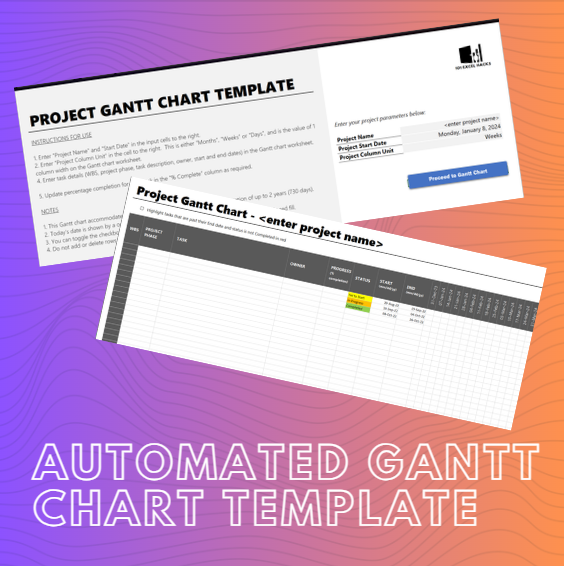
Automated Project Gantt Chart Template
Do you have to set up your Gantt charts manually? Dread the manual labor involved in filling out your task timelines one cell after the other?
This is for the project managers who use Microsoft Excel to manage their project work plans.
Do you have to set up your Gantt charts manually? Dread the manual labor involved in filling out your task timelines one cell after the other? And when your project start date is delayed, do you have to go back to recolor each task timeline update one after the other?
Most project managers spend more time manually coloring cells and adjusting borders than actually managing their teams. When a single start date slips, you’re forced into hours of tedious manual labor just to keep your Gantt chart accurate. It’s a repetitive, soul-crushing cycle that leads to version errors and outdated schedules. One missed cell update can lead to misaligned deadlines and stakeholder confusion.
You deserve a tool that works as hard as you do, without requiring you to write a single line of complex VBA code or deal with buggy macros that crash your workbook. The 101 Excel Hacks Automated Project Gantt Chart is your shortcut to professional project visualization. Built entirely on native Excel logic, this template generates your entire timeline the moment you input your dates. You get a clean, boardroom-ready Gantt chart that stays updated in seconds, allowing you to focus on leading your project rather than formatting your spreadsheet.
Fully Automated Timeline: Input your start and end dates; the chart shades itself.
Zero VBA/Macros: Works in any standard Excel environment without security warnings.
Universal Compatibility: Clean, minimal design that looks professional in any presentation.
Master your schedule with the efficiency of a spreadsheet pro. Order yours today.
Watch a video showing how the Gantt chart automation was set up in Microsoft Excel